
On September 10 we held the webinar on the Ringover phone system inside Odoo. It's now on YouTube. 41 minutes. Héctor, Antonio and Mary showed the dialer, automatic call logging and a voice agent that created an order.
If your sales rep dials by hand and then jots down “what was said,” this is the video for you.
native integration with Odoo
versions 14 to 19.3
Odoo MCP functions
in the demo's voice agent
the full video
dialer, tickets and Mateo bot
What Ringover is inside Odoo
Ringover is a cloud communication platform: voice, SMS, WhatsApp, video conferencing and voice bots. A French company, multinational. Offices in France, Spain, Latin America, the United States and the UK. More than 400 employees; in Spain and LatAm, more than 40.
With respect to Odoo, it is a layer on top: what happens in Ringover can be loaded into the record (audio, transcript, video call, summary, WhatsApp, SMS). The mandatory data point is the phone number. Ringover looks up that number in Odoo and writes the activity in the history.
Native integration since 2021. Certified app. Mary: using it doesn't consume any extra lines of code; no extra cost for using it. Versions 14 to 19.3. They run in parallel with Odoo. Mary cited six modules: CRM, Desk, Projects, Tasks, Recruitment and Field Service. Antonio, in the demo, said five. The video doesn't settle it.
Mary: native since 2021, 14 to 19.3, no extra code cost. Screenshot from the September 10 session.
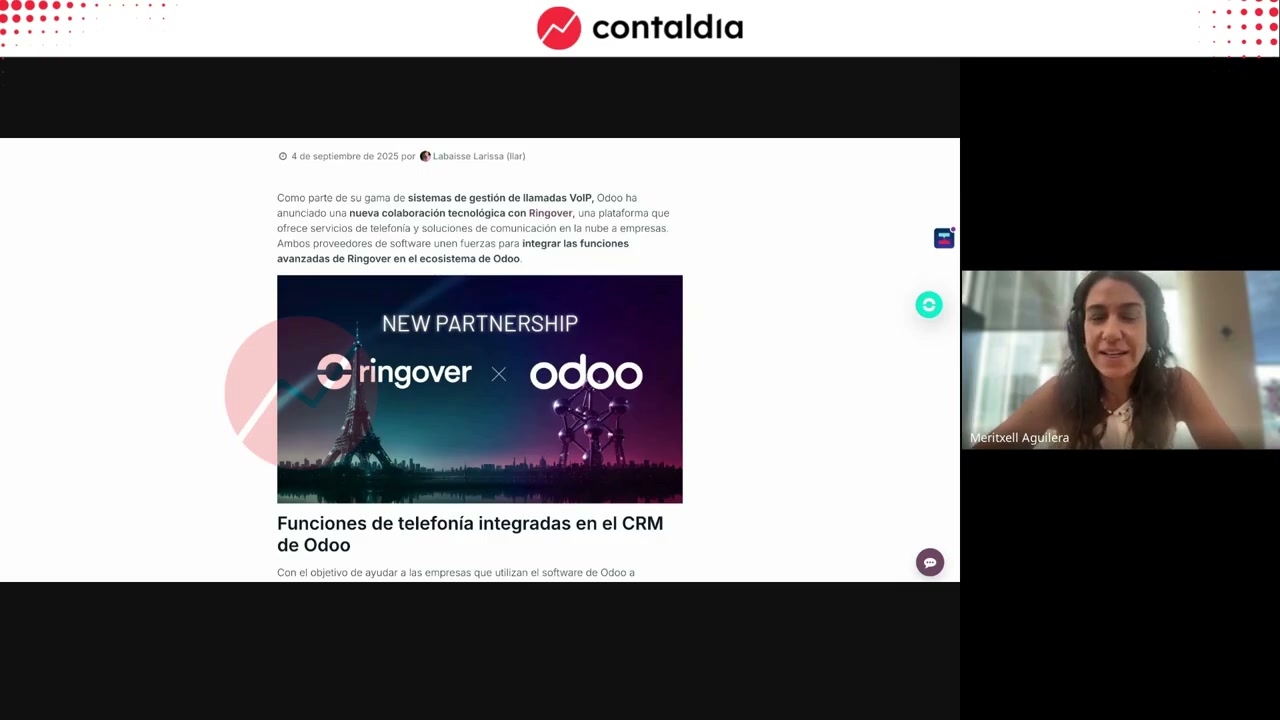
Try it from Settings → CRM
Mary: in Odoo, one click for a free trial or to install. They also set up a trial account on request. They recommend talking to them (Héctor, Antonio, Mary) about your use case: sometimes the database URL is needed.
Call from the record
Antonio never leaves Odoo. He opens the contact or the company (with a phone number), opens the embedded dialer and makes the call. The activity lands in that record's history. Carrier: they provide numbers or port those from your current provider.
Héctor: the goal is to turn every conversation into an opportunity. Unlimited calls to more than 110 destinations, 90 countries. Later he mentioned a flat rate in more than 80 countries. Those are the two wordings used in the video; we haven't unified them. AI before, during and after the call: training, online transcription, summaries, coaching, post-call analysis. Customers cited: Octopus Energy, Conforama, Grupo Planeta. They take on teams from 3 users; “very comfortable from 10.”
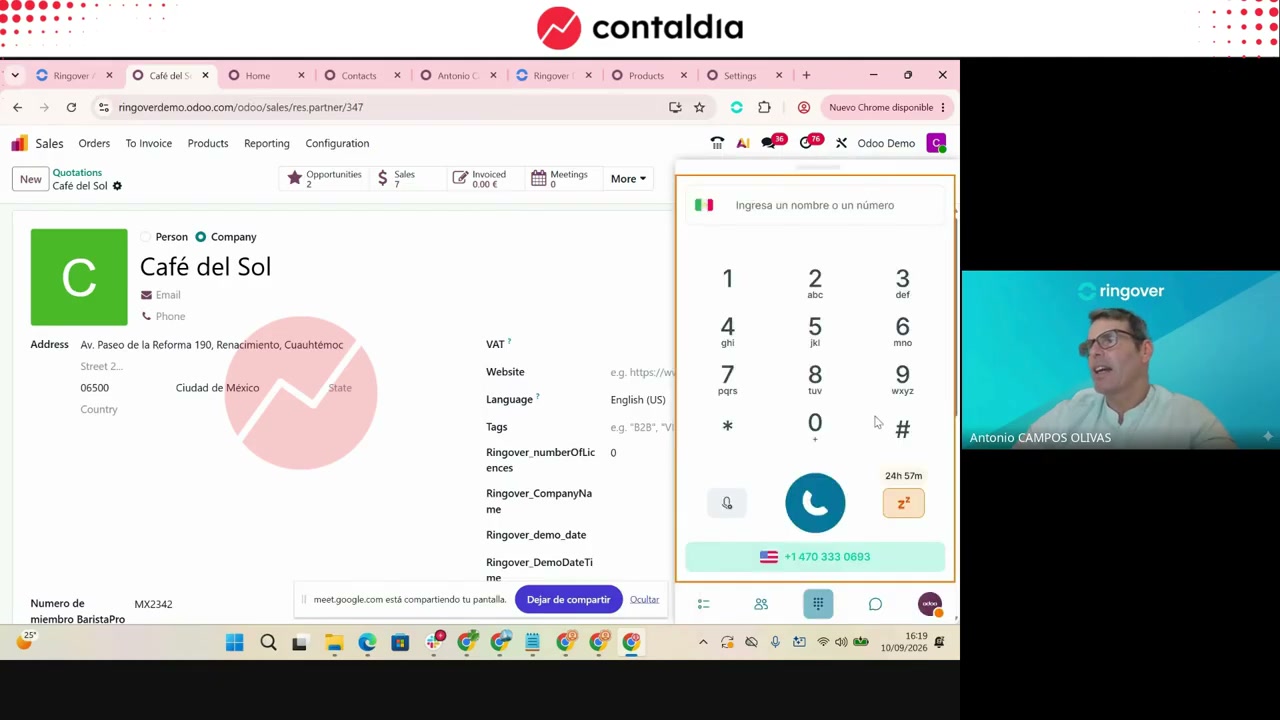
Embedded dialer
No need to leave Odoo. Company or contact record with a phone number. Click and you're calling. What is recorded and transcribed goes back to that same record.
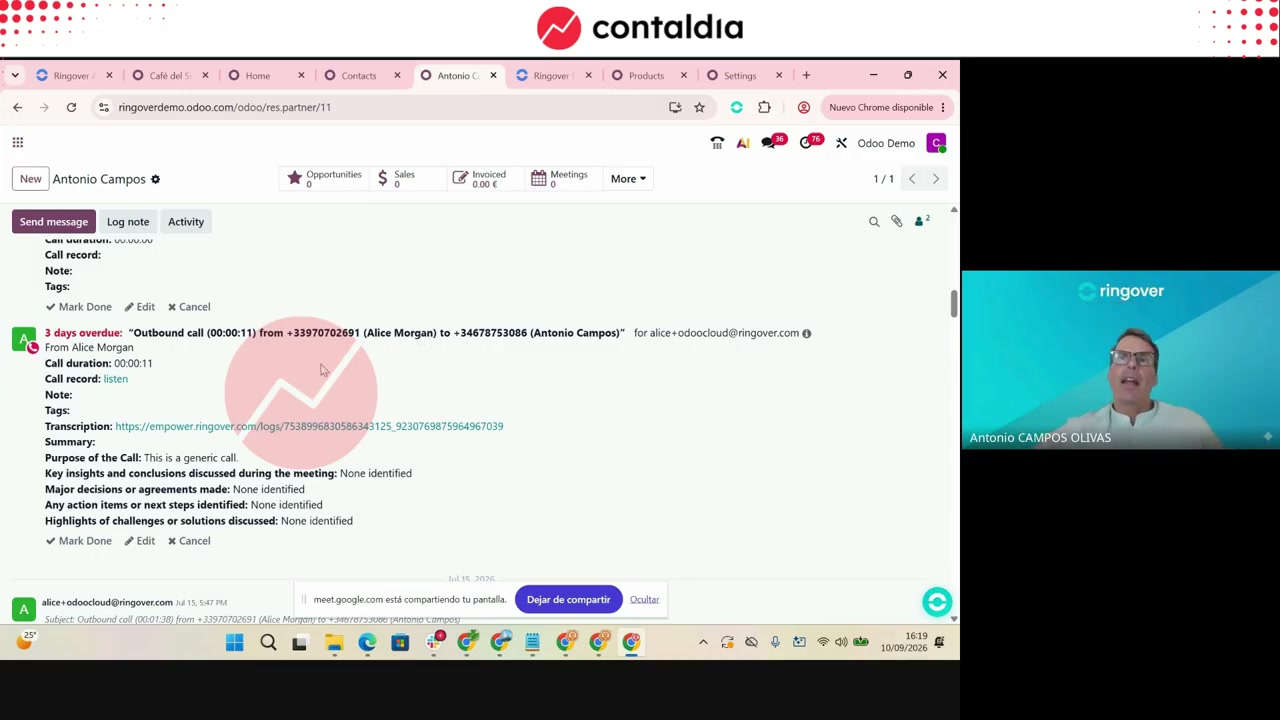
In the demo, per call: audio, transcript, purpose, insights, next steps, note and tag. On a short call it barely detects “steps.”
What gets logged (a timeline)
Everything in a single chronological thread per contact, from the most recent call to the first. There are no parallel chat-style threads. An SMS to the same number appears below. Antonio mentions WhatsApp on that same record. It can also be logged in opportunities or other places in the covered modules.
Ringover logs by number. If a customer has two phone numbers, the activity lands on the record or opportunity where those numbers are stored. Distinguish between the company's lines and the caller's number.
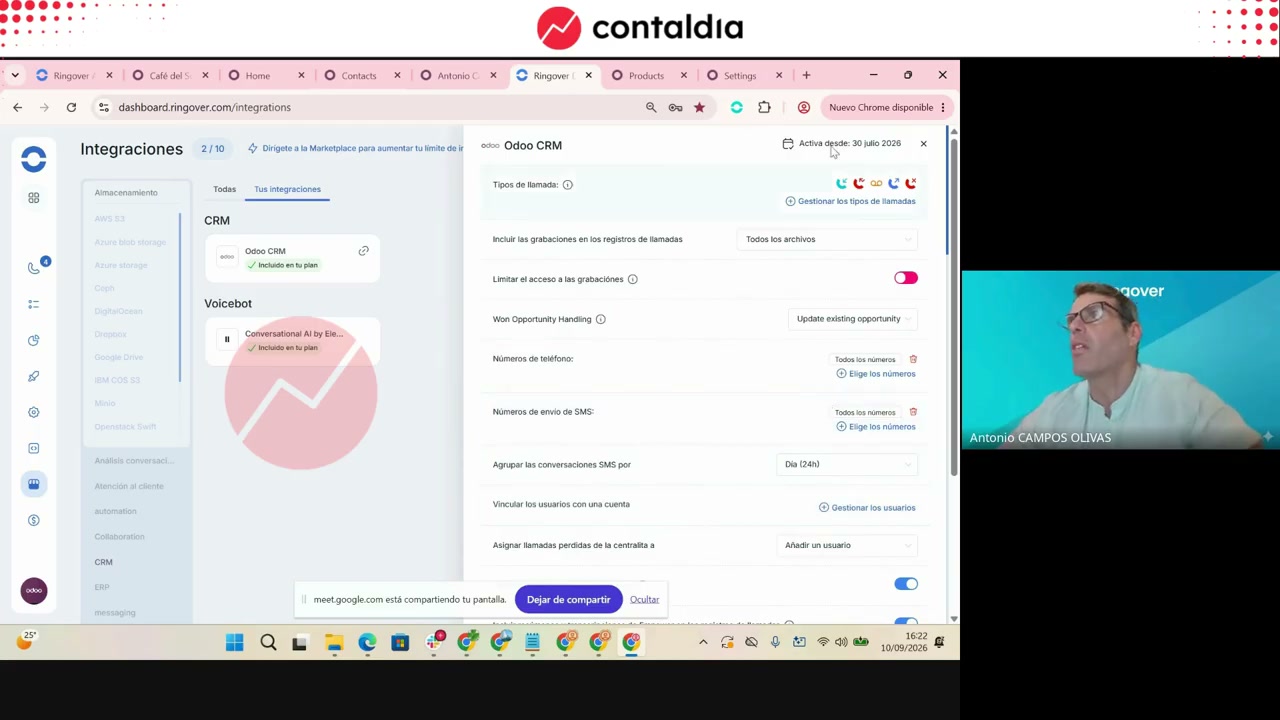
Call types
In Ringover: Integrations → Odoo (instance URL). More than 100 integrations in the panel; the focus of the day was Odoo. Switches: log incoming calls (on in the demo), missed, outgoing, include recordings, restrict access, transcription summary, internal calls. Each one can be turned off.
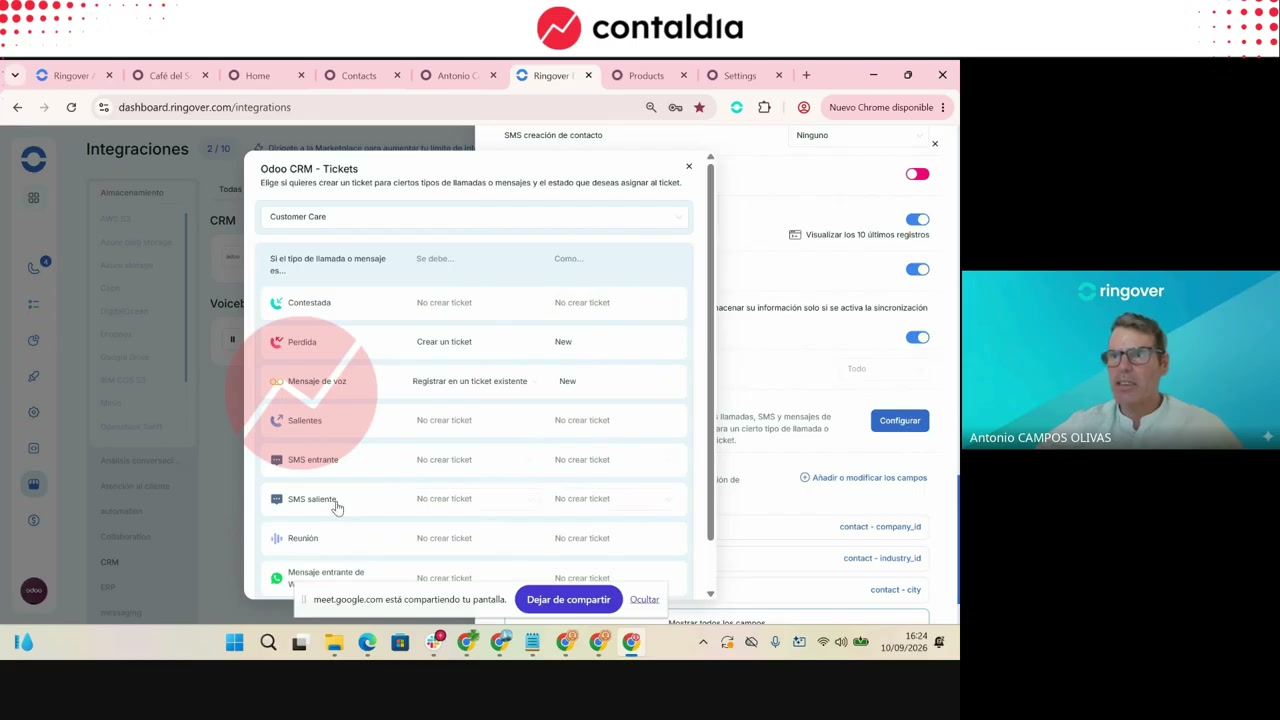
Three channels: voice, SMS, WhatsApp. In the demo, answered call → ticket in New; missed call → do not create. This can be changed. “No technical knowledge needed”: just switches.
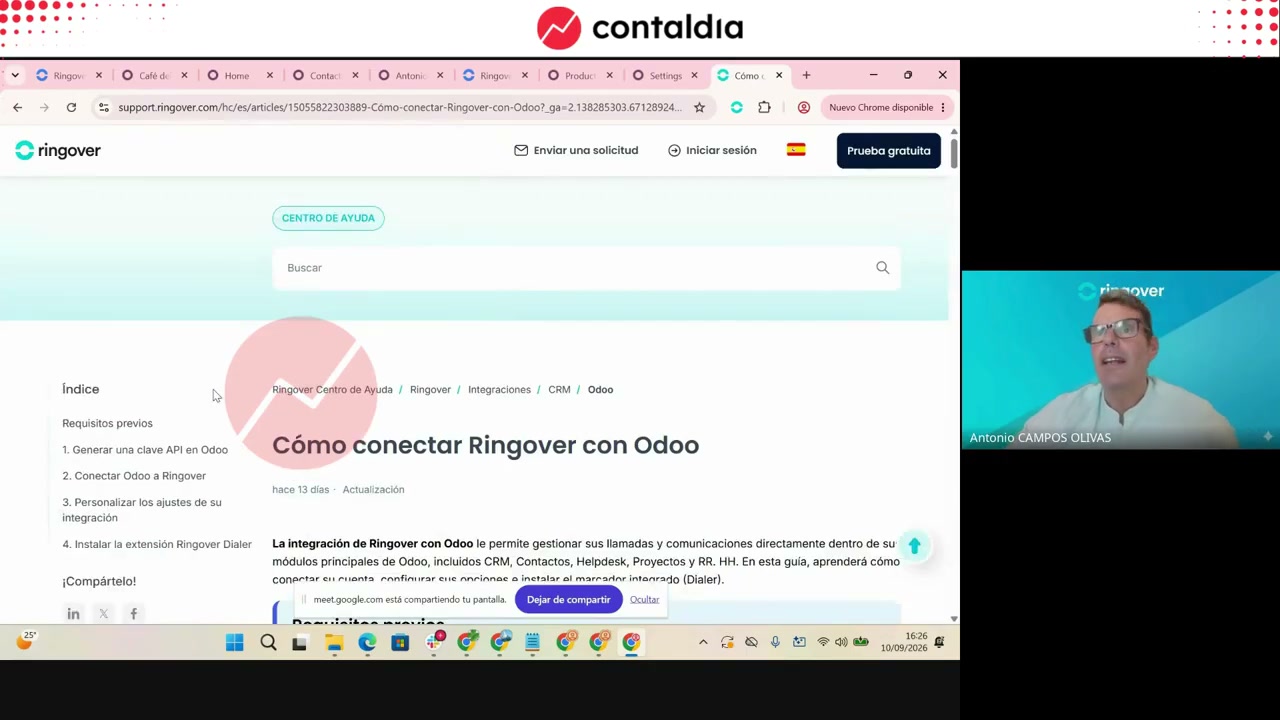
Connecting: four steps
On the Ringover website: 1) administrator permissions; 2) generate an API key in Odoo; 3) connect the platforms; 4) configure the switches. Times mentioned: 5 minutes for the wiring; 15 minutes or half an hour for the business criteria. The connector is already handled by their integrations team.
Voice agent Mateo
Closing of the session: a voice bot (Mateo, Barista Pro) created for Odoo Experience in Mexico City. The idea: the business works 24×7. It handles incoming calls and can also make outgoing ones.
Live call. Greeting “Barista Pro”, company Café del Sol. Order: 2 packages of 5 kg, 100 % Arabica coffee from Ecuador (15 €) and Guatemala (12 €). Total 27 €. The bot confirms, creates the order, with delivery scheduled for Tuesday, September 16. Antonio: it could have switched to English during the same call (it did not).
Configuration: agent Mateo, Mexican number, Spanish language, voice Alexander (catalog; “Latin American dialect”). A custom voice can be generated. Antonio confirms ElevenLabs. You choose the model, character, welcome message, personality, rules (example: “you never transfer to a colleague”), knowledge base (PDF or URL) and an email with the transcript. MCP functions already connected: on screen, 17 from Odoo (search contacts, create tickets, create orders…). Héctor: the inbound bot, with MCP, can open and close tickets.
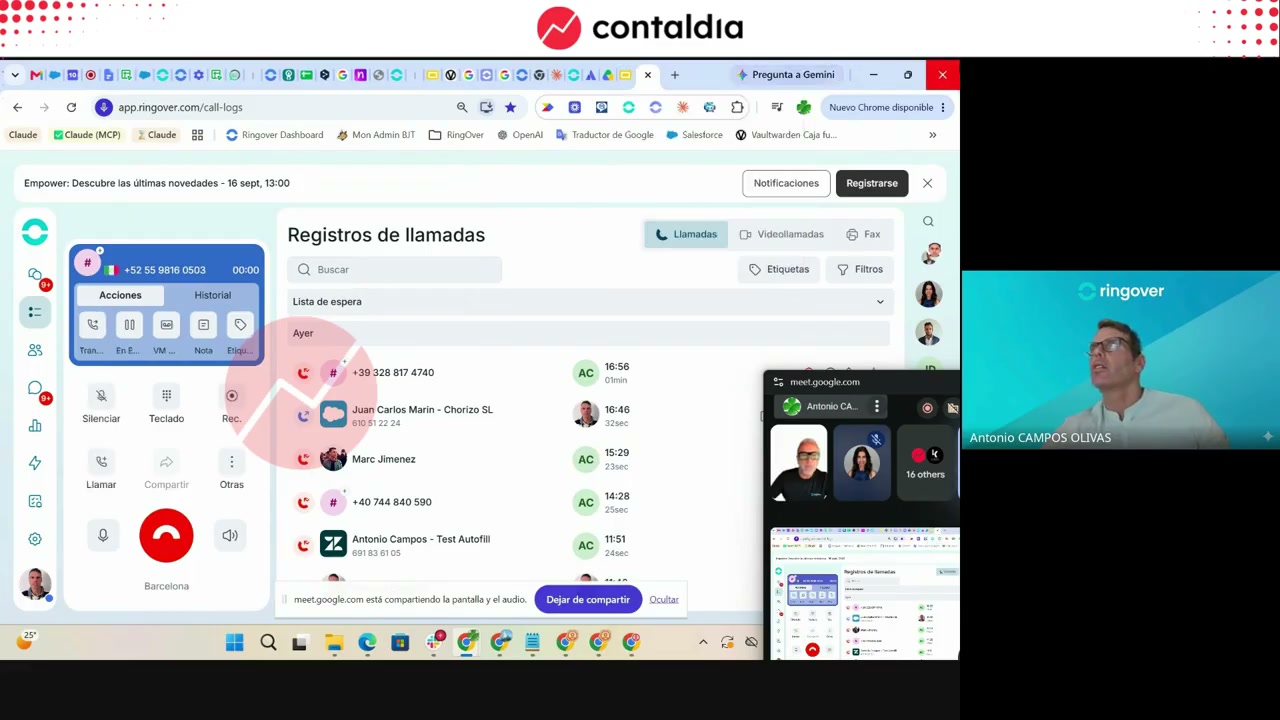
Mateo takes the Café del Sol order. The more detail in the rules, Antonio says, the less it “hallucinates”.
Odoo orders: order placed on the 10th at 16:42 (Spanish time). Two packages, €27. Antonio did not create the invoice.
What was not shown
Héctor: what we saw is “the spearhead.” Advanced statistics, whisper (listening in for training) and the AI layer he called “Power” were not shown. Email, “something new” planned for October, was not demonstrated. Own servers: they provide the service themselves. There is no price in the video. There is no count of the agent’s languages (only Spanish and the mention of English). Community versus Enterprise was not shown as a limitation: “there is no problem with the Odoo model.”
The webinar is over; the video is not.
If you want to see Ringover on your own database, contact Contaldia.