In this blog, we'll learn, step by step, how to account for imports with deferred VAT within Odoo. To obtain a solution For a more immersive experience, you can review the explanatory video attached below.
First, the import invoice must be recorded with its corresponding DUA, remembering that in versions 17 and 18 and later of Odoo, the program automatically subtracts the base, leaving only the VAT to be paid, that is why we indicate the freight forwarder in the invoice.
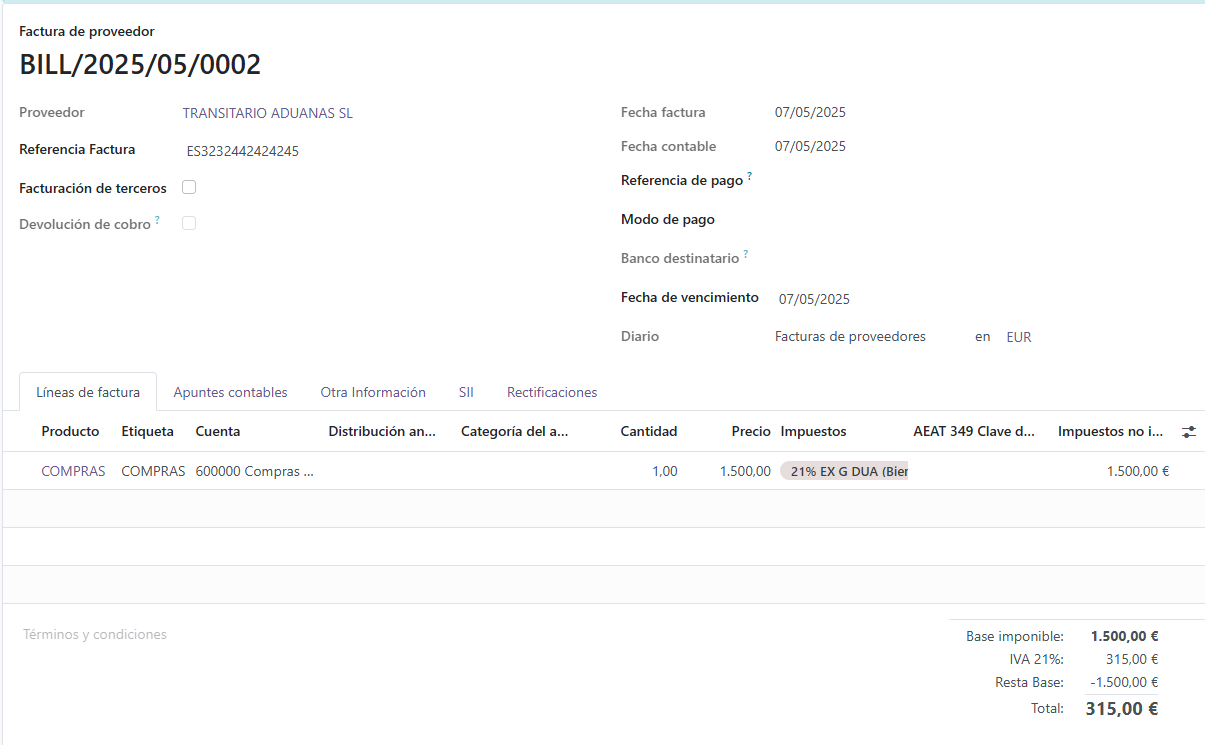
• Once the invoice has been recorded, we can go to our tax return form 303. There we can see box 33 with the corresponding amount of input tax paid.
• Also remember that box 77 for deferred VAT is fully editable, where we can add the amount from box 33. This box allows us to alter the result of form 303 by indicating the amount of deferred VAT that we have not paid at customs.
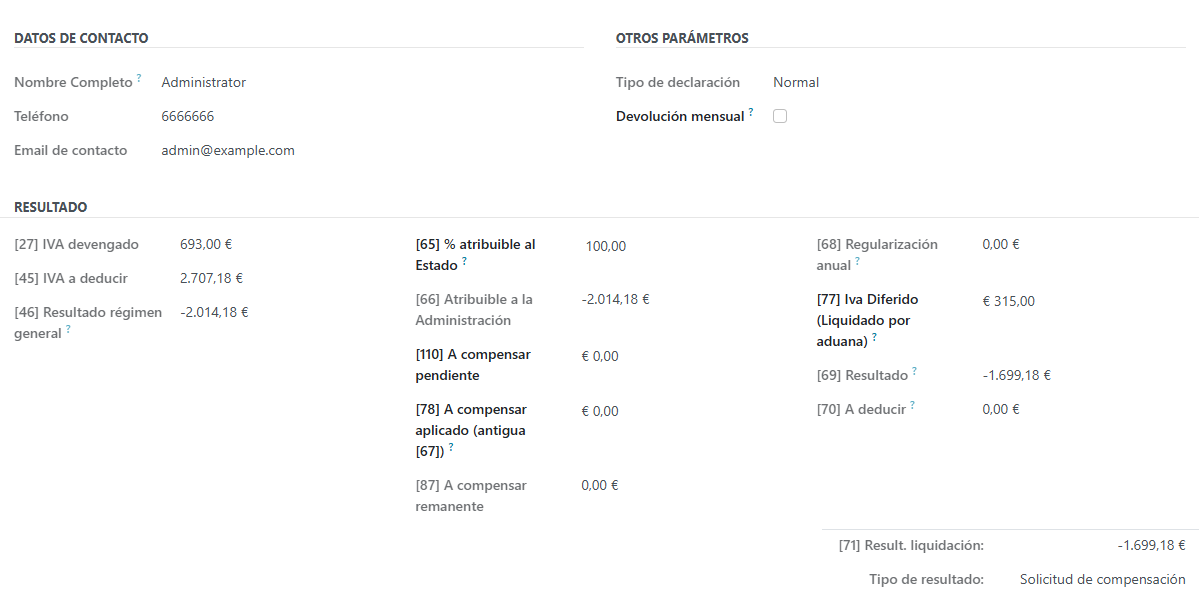
Once we have verified form 303, we can confirm and create the journal entry. This entry will show the previous amount, as it doesn't reflect the new total. Therefore, we will need to manually adjust the amount to match the new form generated, reflecting what we have actually paid. The difference resulting from this adjustment must be transferred to account 472 (Input VAT) because it is an amount we cannot deduct, as we haven't paid it.
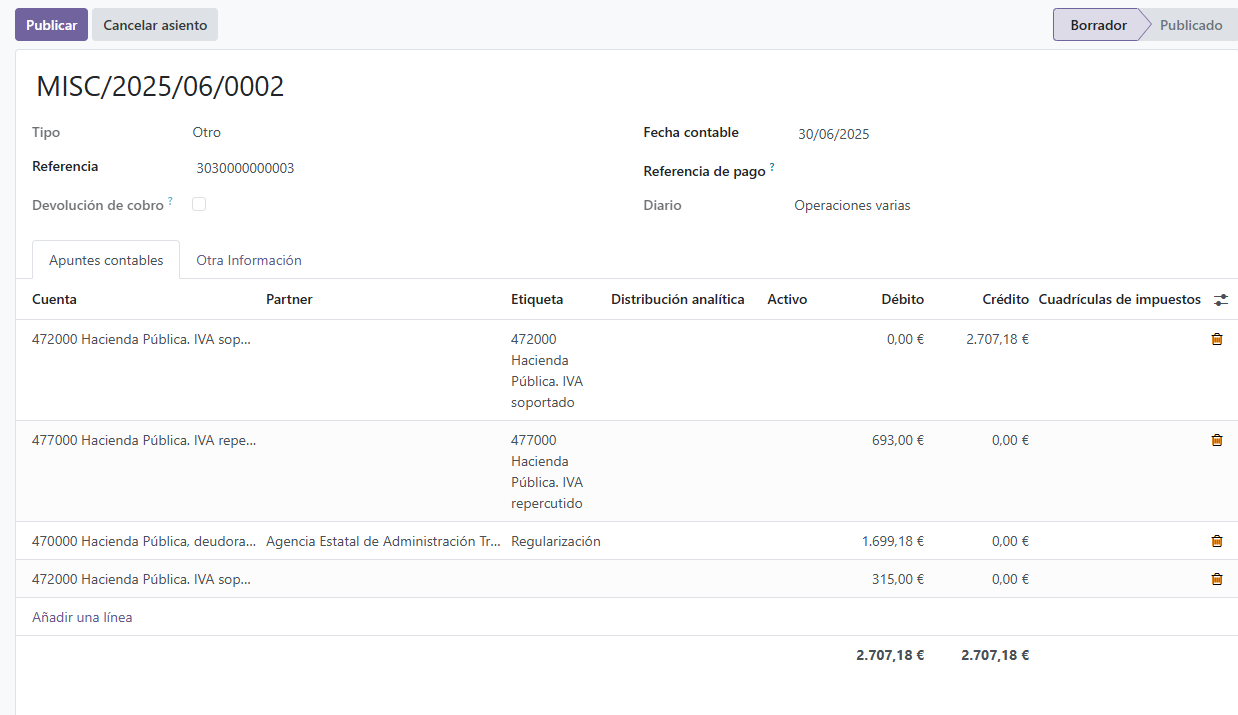
• Once the entry has been reviewed, it would simply be necessary to publish it and submit form 303 to the Tax Office.